



Maybe it’s cards and a timer
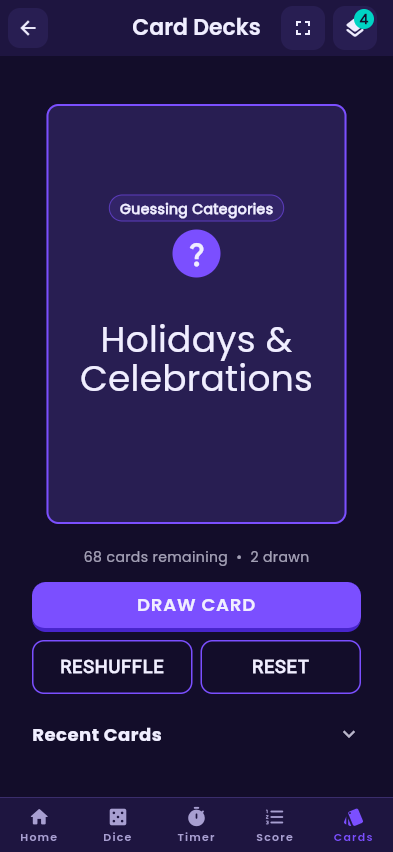
A party round runs on a prompt and a countdown. Draw, act it out, beat the clock, pass the phone along.
The game-night toolbox
ShuffleUp brings the essential tools for games, parties and tabletop play together in one place. Cards. Dice. Timers. Scores. And more on the way. Use them on their own or combine them into the setup your game needs.
Now on iPhone in the U.S. Free to play as a guest.
Your game. Your rules.
A party round runs on a prompt and a countdown. Draw, act it out, beat the clock, pass the phone along.
A board game runs on rolls and a running total. Roll, move, add it up, and watch who pulls ahead.
ShuffleUp lets you bring the tools together, so you spend less time managing the game and more time actually playing it.
The toolbox
Built-in decks, or your own
Draw from built-in decks or create your own. Use cards for traditional games, party prompts, challenges, trivia, custom rules, or anything else you can imagine — a full 52-card poker deck plus four party decks, and an editor that makes any deck work for your group.
Digital dice whenever you need them
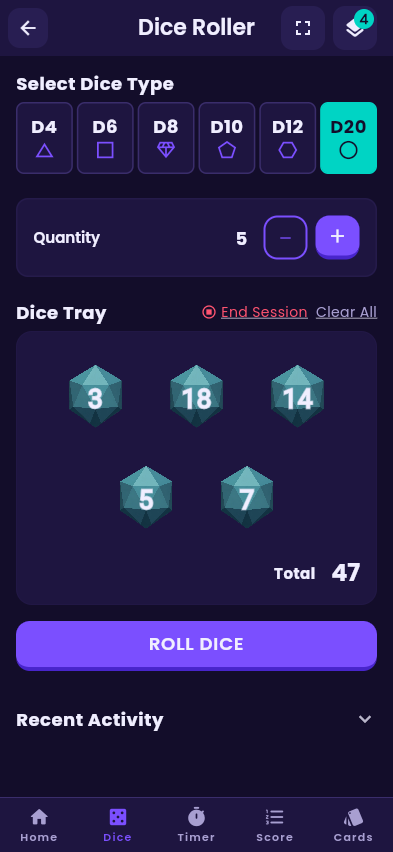
Roll individual dice or multiple dice together, see your results instantly, and keep the action moving without hunting down physical dice.
Keep the game moving
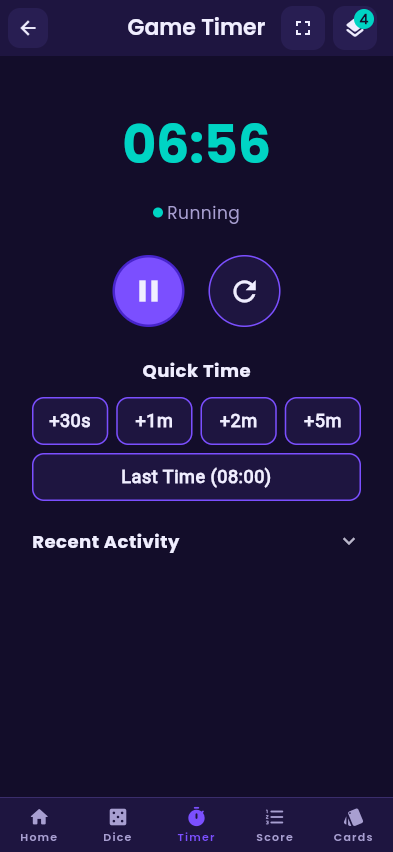
Keep rounds, turns, challenges and games moving. Set a timer, start the countdown, and let ShuffleUp handle the rest. Enable notifications to get an alert while your phone is locked; timing and sound follow your device settings.
No paper, no arguments
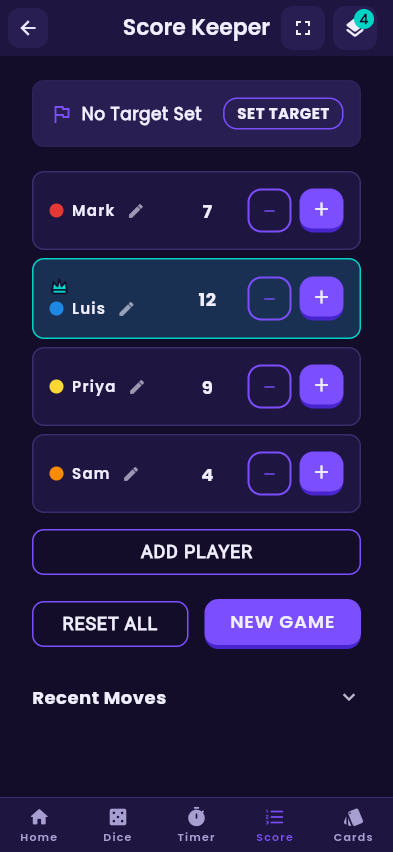
Keep track of who is winning without the paper, the pencil or the arguments. Add players, adjust scores, set a target, and keep everyone up to date throughout the game.
Combine your tools
This is where ShuffleUp becomes more than a collection of utilities. Run tools on their own or bring them together in the same game setup, and build the combination that fits your game.
How it works
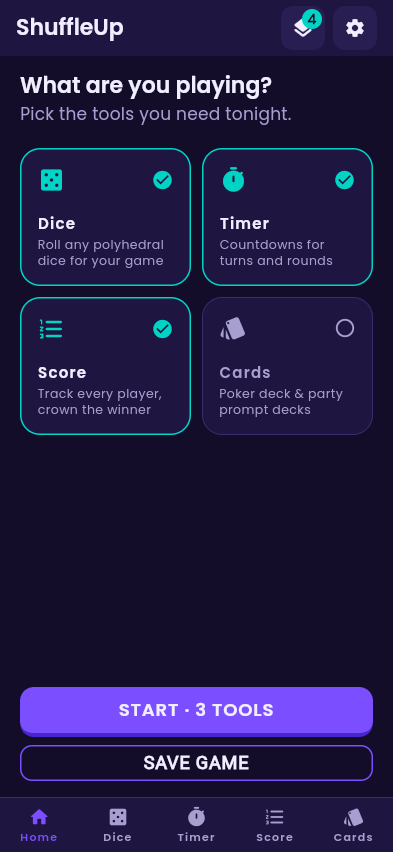
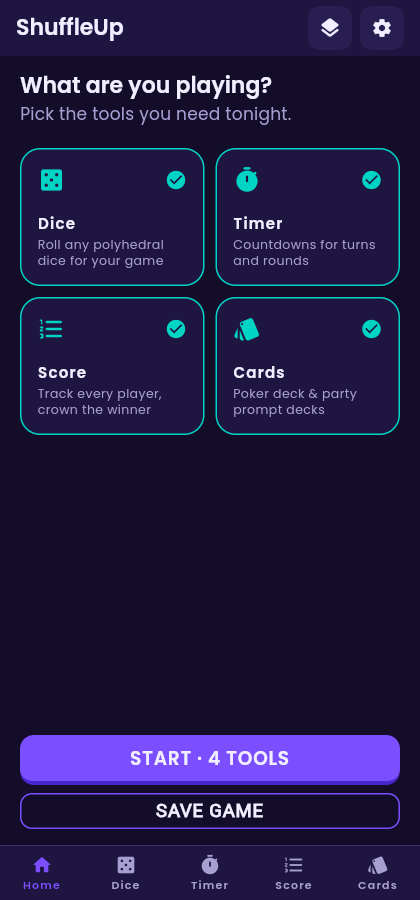
Tap the tools tonight’s game needs. Catan wants dice and a score keeper. Charades wants a timer and a deck.
Everything you picked sits in the bottom bar, ready together. Save the setup once and it is one tap away next time.
No hunting through apps mid-turn. The whole night runs from one screen.
Built for game night
Whether you are playing a board game, a card game, a tabletop RPG, a party game, a trivia night or something invented on the spot, the tools work the same way. If your game needs a tool, ShuffleUp is built to help.
Details that matter at a table
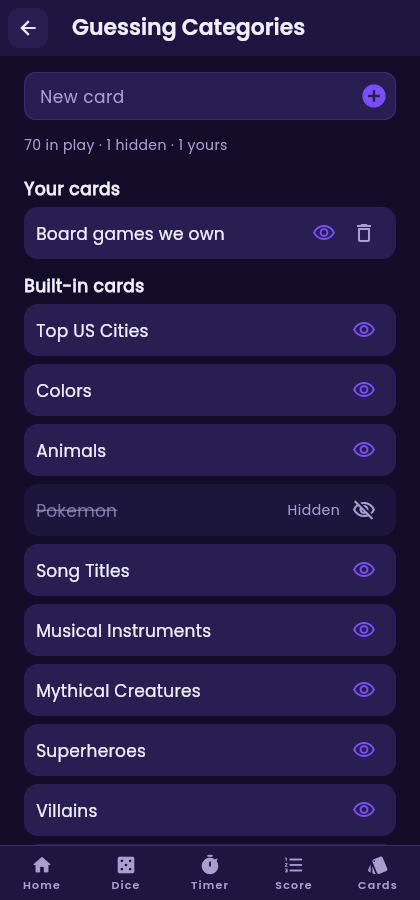
Add your own prompts to any party deck and hide the ones that never land.
On iPhone, the timer and scoreboard live on the Lock Screen and Dynamic Island, so the phone can stay face up and locked.
Rolls and buzzers feel real — and both toggle off when the table wants quiet.
No email needed to play. Register to recover your synced setups and deck edits on another device.
Available for iPhone in the U.S. Android is coming soon with the same toolbox.
Every tool, no paywall. Ads keep the lights on and stay out of your way.
Questions
Yes. Every tool — cards, dice, timer and score keeper — is free. The app is supported by a small banner ad.
No. You can start playing as a guest the moment you open the app. Creating an account with email, Apple or Google only matters if you want your saved game setups and deck edits to follow you to another device.
That is the plan. ShuffleUp is built as a toolbox rather than a single-purpose app, so new tools and new ways to combine them can be added over time. Cards, dice, timer and score are the starting point.
ShuffleUp is available for iPhone in the U.S. The Android version is coming soon; its Google Play link will appear here when available.
That is exactly what the dice roller is for. D4 through D20, several dice at once, with totals and a roll history you can scroll back through.
Yes. Every party deck has an editor where you can type in your own prompts, hide any card you never want to see again, and delete the ones you added. The standard 52-card deck stays as it is.
Background alerts require notification permission. On Android, precise alerts also need Alarms & reminders access. Restarting your phone or force-stopping the app can prevent an alert. Reopening ShuffleUp restores the timer paused; resume it to schedule a new alert.
On supported iPhones, Live Activities can show the timer and scoreboard on the Lock Screen and Dynamic Island. Background notifications require permission and follow your device’s sound and power settings.
From Settings inside the app. Deleting your account removes your data — you never have to email anyone to get it done.
ShuffleUp does not tell you how to play. It gives you the tools — you decide what they mean and how they work together. Download for iPhone in the U.S. Android coming soon.